
Flixfox APK Download V2.1.3 – Latest Android Version

Looking for Flixfox APK v2.1.3? Check its file details, download instructions, installation steps, and device compatibility before getting started.
Download Flixfox APKFlixfox APK Download Information
Before downloading, review the file information below. The FlixFox APK details help you identify the package you intend to install. The file size shown here is based on the downloaded copy checked for this page. Therefore, use these details to compare the file on your device.
| Information | Details |
|---|---|
| App Name | Flixfox |
| Version | v2.1.3 |
| File Size | 71.4 MB |
| Android Requirement | 4.0 or above* |
| Category | Entertainment |
| File Format | APK |
| License | Free |
What to Check Before Downloading
A few checks can prevent avoidable installation problems. First, make sure your device has enough free storage for the 71.4 MB file and the installation process. Next, check that the download page identifies version v2.1.3. Also, use the same source consistently instead of downloading from random pop-ups or mirror pages.
In addition, confirm that the file ends in “.apk”. If the download redirects to an unrelated page, close it and return to the download page. Do not install extra apps or profiles just because a website asks you to. Finally, remember that a file size alone cannot prove that an APK is safe or genuine. Keep the downloaded FlixFox APP in an easy-to-find folder until you finish checking it.
How to Download Flixfox APK on Android
Downloading the file is straightforward. Follow these steps:
- Open the Flixfox download page in your Android browser.
- Find the download section for version v2.1.3.
- Check the displayed version and file information.
- Tap the download button to start the transfer.
- If the browser asks you to confirm the download, review the prompt.
- Wait until the download finishes.
- Open the browser’s Downloads list or your phone’s Files app.
- Locate the downloaded Download FlixFox file.
If the download stops, check your internet connection and available storage. Then retry from the download page. Avoid tapping several download buttons on unrelated pages, because this can lead to unwanted files. Once downloaded, check that the file appears in your Downloads folder.
How to Install Flixfox APK on Android
After the file downloads, you can start installation from your phone’s file manager. The exact menu names may differ between Android brands and versions.
- Open Files or File Manager.
- Select Downloads and tap the FlixFox for Android file.
- If Android blocks the installation, open the permission prompt.
- Allow your browser or file manager to install apps from that source, if you trust the file.
- Return to the installer and tap Install.
- Wait for the process to finish, then select Open.
On newer Android versions, this permission is usually granted separately to the app that starts the installation. Therefore, allowing Chrome does not automatically allow another file manager. Once installed, review the app’s permissions and grant only those you understand.
Install Flixfox on Other Devices
Android TV
For a compatible Android TV, transfer the FlixFox for TV using a USB drive or another file-transfer method supported by your TV. Open a file manager, locate the file, and select it to begin installation. If prompted, allow the file manager to install apps from that source. Then complete the installation and look for the app in your TV’s app list. However, successful installation does not guarantee that every screen will work well with a remote control.
Amazon Fire TV Stick
Fire TV Stick users can try sideloading the APK with a downloader or file-manager app available for their device. First, install the chosen tool from the Amazon Appstore. Next, open Fire TV settings and find the option for installing unknown apps. Give permission to the downloader or file manager you are actually using. Then enter the APK download address, download the file, and follow the installation prompt. Menu names vary by Fire OS version. Also, sideloading does not guarantee that the app is fully compatible with Fire TV.
PC and Laptop
A Windows computer cannot install an Android APK as a normal Windows program. However, you can try an Android emulator such as BlueStacks. Install the emulator from its official website, open it, and choose its Install APK option. Browse to the FlixFox for PC file on your computer and select it. After installation, open the app inside the emulator. Still, performance and compatibility depend on the emulator, computer hardware, and app build.
iPhone and iPad
The Android APK file cannot be installed directly on an iPhone or iPad. iOS uses a different app format and installation process. Therefore, do not follow Android APK instructions on an Apple device. Only install an iOS version if the FlixFox for Apple publisher provides a genuine, compatible release through an appropriate iOS distribution channel.
How to Update Flixfox APK
Before updating, check the version currently installed on your device. Then compare it with the version offered on the download page. If a newer compatible APK is available, download it and open the file to start the update. Android may show an update prompt instead of a fresh installation. If it does, review the prompt and continue only if the app identity matches.
Do not uninstall the existing app first unless the publisher’s instructions specifically require it. Removing an app can delete its local data. In addition, keep a note of important settings or downloaded content before updating. Always compare the new FlixFox hd Movies version with your installed version before proceeding.
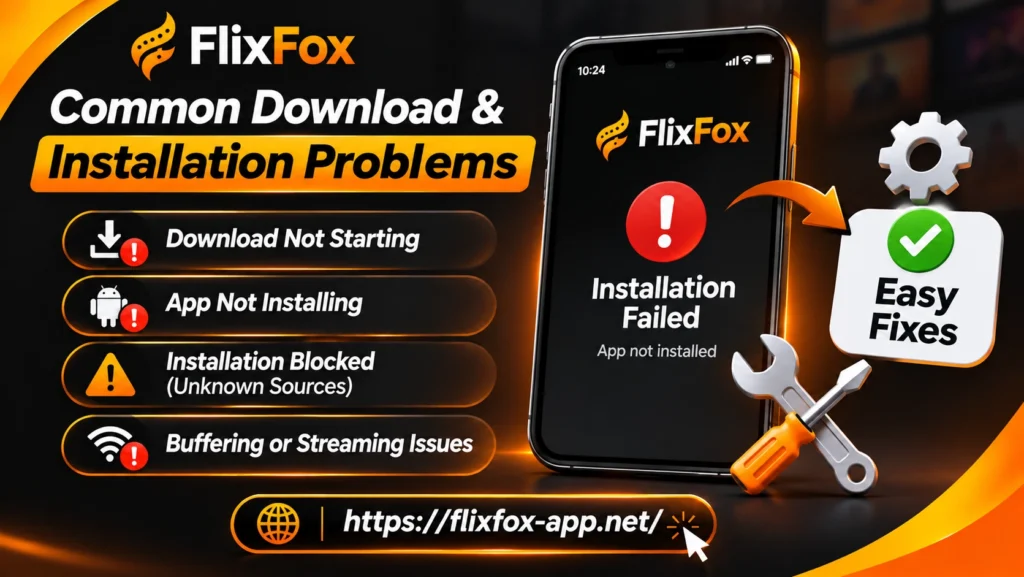
Common Download and Installation Problems
Download does not start: Check your connection, browser download settings, and free storage. Then try again.
App not installed: The file may be incomplete, incompatible, or in conflict with an existing package. Download it again from the same trusted page and check your Android version.
Parsing error: This can happen when a file is damaged or the package is not compatible with the device. Delete the incomplete file and download it again.
Not enough storage: Remove files you no longer need and make space before retrying. The installation process may need additional room beyond the APK’s listed size.
App does not open: Restart your device and try again. If the problem continues, the app build may not support your device or emulator.
If the FlixFox latest version download repeatedly fails, check whether your browser or network is blocking the file. You can also retry using a different trusted connection.
Final Notes Before Downloading
The FlixFox apk download page should make the file details clear before installation. For this version, the downloaded package checked for this page is 71.4 MB and is identified as v2.1.3. Check the actual file details rather than relying on an outdated listing. Also, remember that Android TV, Fire TV, and emulator installation methods do not guarantee full app compatibility. iPhones cannot install Android APK files directly. Download only when you understand the source and the permissions requested by the app.